Financials
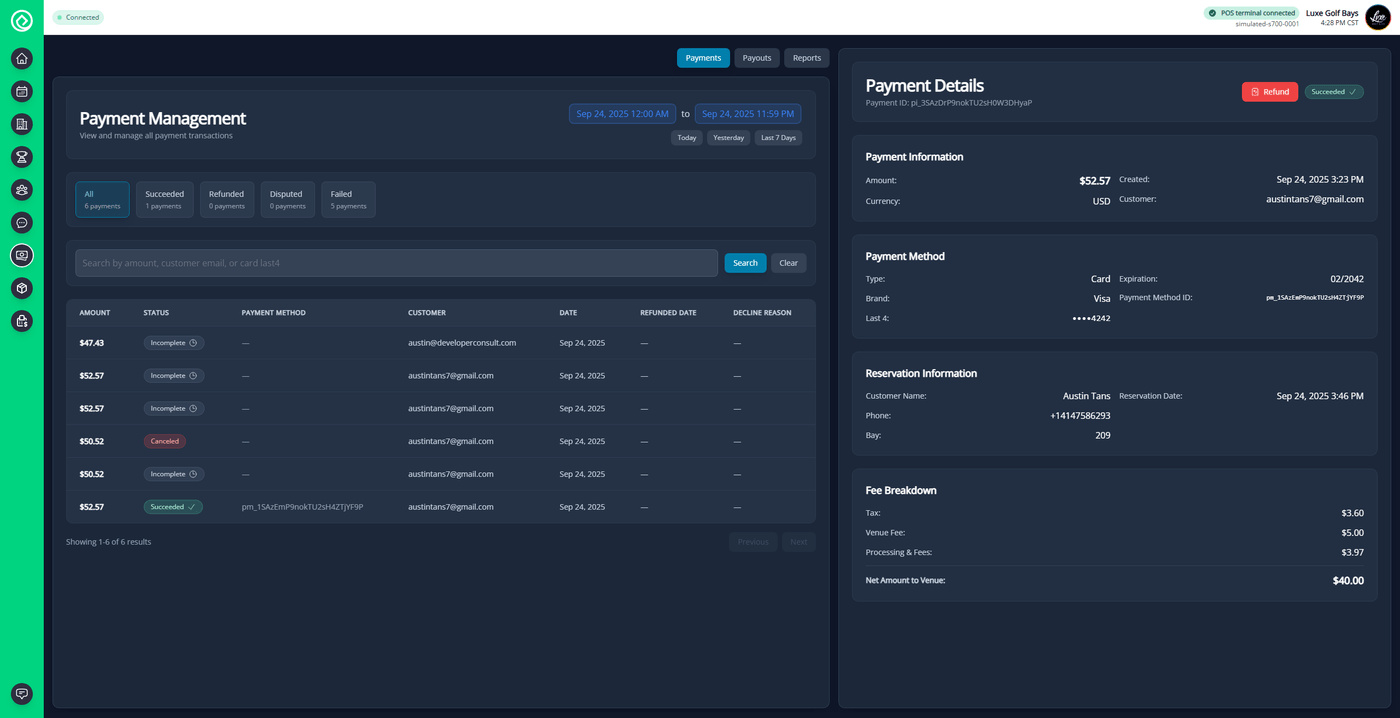
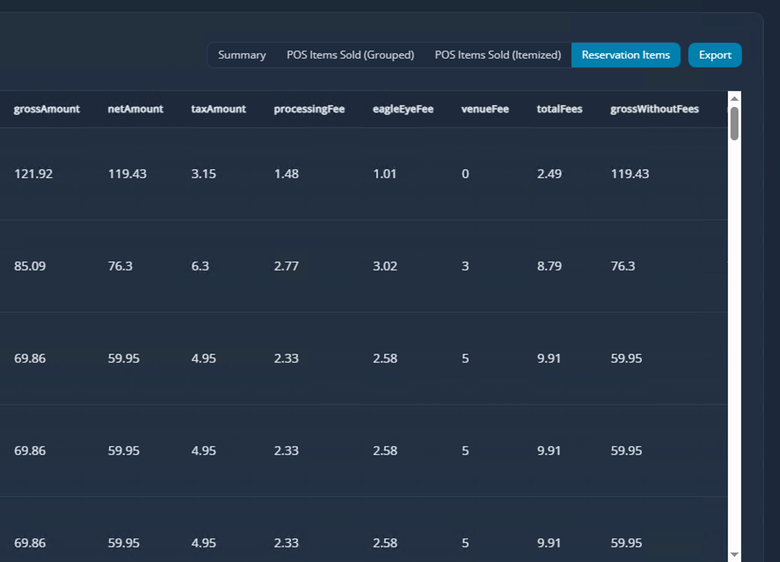
See the money in one place. EagleEye tracks revenue, payments, and refunds across every stream, alongside cost of goods sold and margins from the POS and inventory. Clear reporting makes end-of-day and month-end straightforward, with cash drawer reconciliation and payment breakdowns that tie out without spreadsheet gymnastics.
- Revenue & payment tracking
- COGS & margins
- Cash drawer reconciliation
- End-of-day & month-end reports
Staff Management
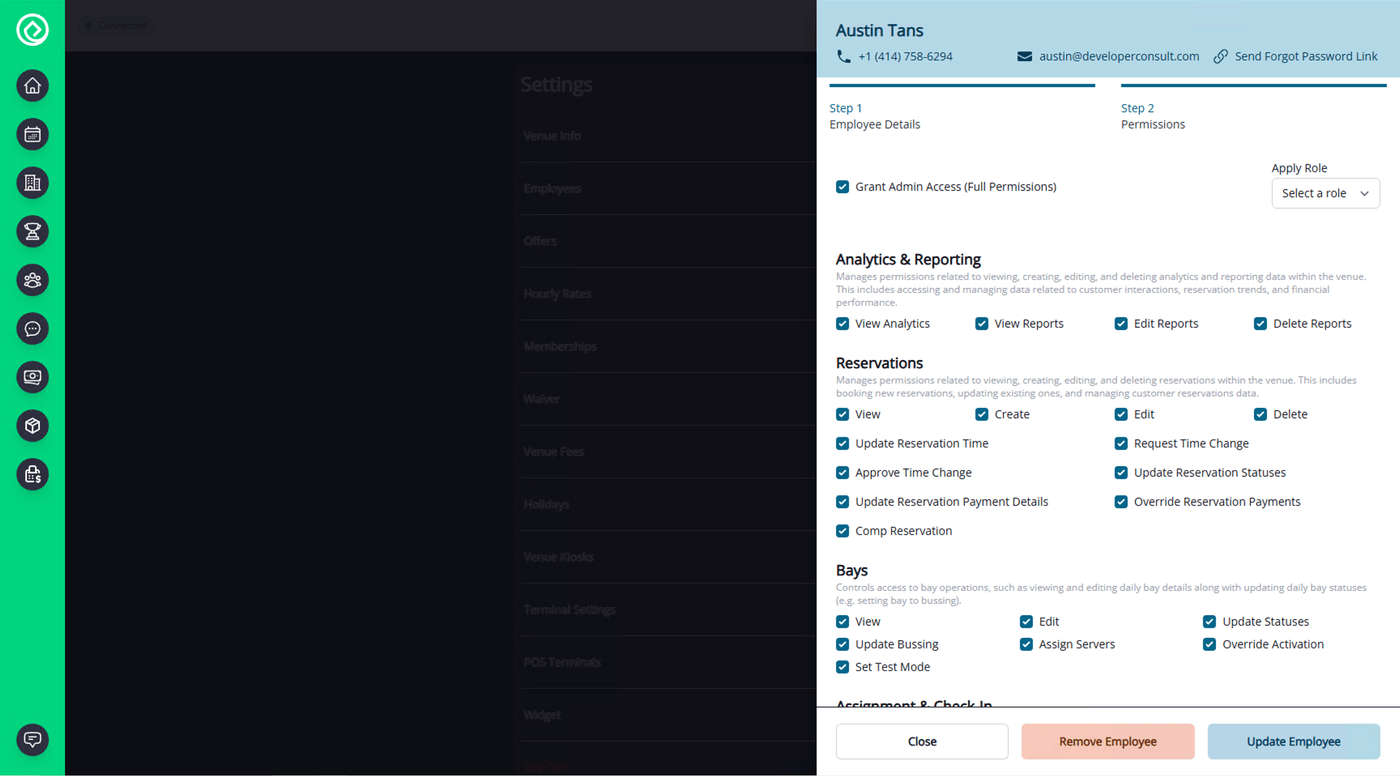
Manage your whole team from one place. Create user accounts and assign roles from administrator and manager down to front desk, bay attendant, and kitchen staff using ready-made role presets, then add or deactivate users as your roster changes. Two-factor authentication and access logs keep accounts secure and accountable.
- User accounts & roles
- Add & deactivate users
- Two-factor authentication
- Access logs
Employee Messaging
Keep your team in sync with messaging built into the platform your staff already use all shift. Send announcements to the whole team or message individuals directly, with permission-controlled access to who can view, send, edit, and delete messages, so the right people stay informed without another app to manage.
- Built into the platform
- Team announcements
- Direct messages
- Permission-controlled access
User Permissions
Role-based access control to keep your data secure and workflows organized. Start from default permissions for each role, then tailor custom permission sets and per-user overrides so every team member sees only what they need. Granular controls cover the platform, from reservations and POS to dashboards and financials, with access logs for accountability.
- Role-based access
- Custom permission sets
- Per-user overrides
- Access logs